

Connecting AFAS Profit to Laposta
AFAS is a Dutch software company best known for its business software for administration and human resources (AFAS Profit). With this integration, Laposta automatically retrieves data from AFAS Profit via a ready-made GetConnector, so you do not have to configure any technical settings yourself. In addition to email addresses, extra data can also be retrieved, such as job title, team, location, employee type and start date.
AFAS has certified this integration.
Costs of the integration
The integration costs a one-off fee of 295 euros for the setup and 695 euros per year thereafter, both excluding VAT. The integration is only available in combination with a subscription.
What do you need for the integration?
To activate the integration, Laposta needs two pieces of information from your AFAS environment:
You will receive a GetConnector file (an XML file) from Laposta that you can import into your AFAS Profit environment.
Setting up the integration
Creating a token in AFAS
- Go to General → Management → App connector.
- Click ‘New’ to create a new app connector.
- Enter a recognisable name, for example Laposta integration.
- Under ‘Users’, add an AFAS user who is authorised to grant access to Laposta.
- Click ‘Generate token’.
AFAS explains this process in its own manual Creating an AppConnector based on a Classic token.
From 1 September 2027, a custom app connector with a classic token will no longer work. AFAS is switching to OAuth on that date. If you are setting up the integration now, immediately select the authentication type ‘OAuth’ (Client credentials flow) when creating the app connector, with the same permissions for the GetConnector. You will then receive a client ID and a client secret instead of a token. You send these to Laposta in the final step. Please note: AFAS only shows the secret once. An existing integration with a token will continue to work until you have switched over. See the AFAS documentation on Switching from classic tokens to OAuth.
Importing the GetConnector
- In AFAS, go to General → Output → Management → GetConnector.
- Click ‘Import’.
- Select the file you received from Laposta.
- Check whether the connector is active and whether the correct tables and fields are available.
More information on importing connectors can be found at AFAS under Importing and Exporting a GetConnector.
A Laposta employee will link the details to your account, activate the connection and send you a confirmation. After that, Laposta automatically calls the connector once a day to refresh the data.
Checking the authorisation filter
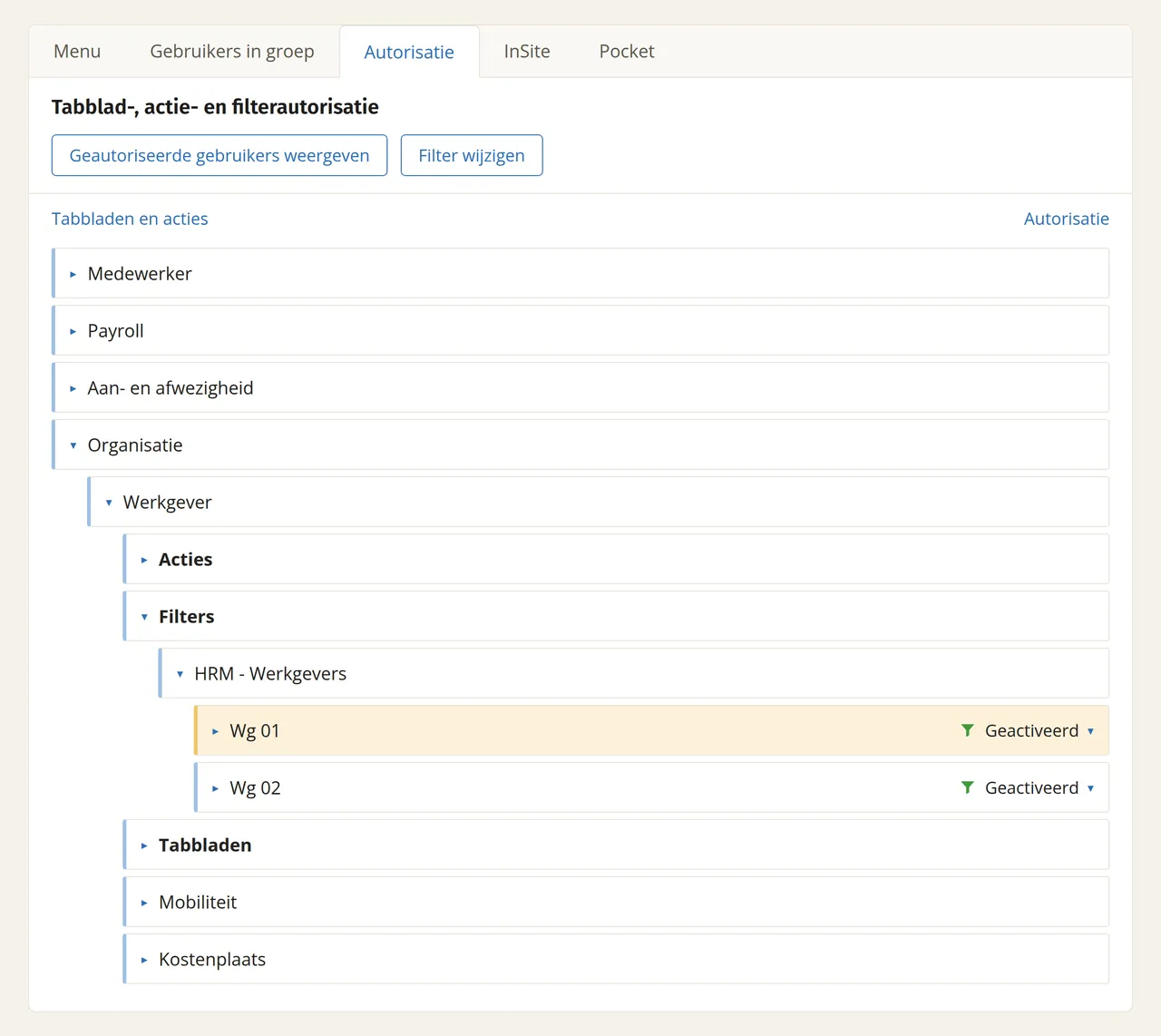
The GetConnector retrieves data from the HRM-Employers (HRM-Werkgevers) section. Because there can be multiple employers within an AFAS environment, it is important that you check the authorisation filter for HRM-Employers.
Finding the user group of the app connector
In AFAS, go to General → Management → App connector and open the app connector you created in step 1. Look under ‘Authorisation’ to see which ‘User group’ has access to this app connector.
Testing the integration
With your participant number and token (or your client ID and client secret), you can check whether everything is set up correctly at https://connect.afas.nl/tools/restget.
Which personal data is exchanged (GDPR)?
Data from AFAS is transferred into Laposta. This makes Laposta a processor of this data within the meaning of the GDPR (General Data Protection Regulation). By default, the connector retrieves these fields:
- Employee (Medewerker)
- First name (Roepnaam)
- Email (E-mail)
- Job title (Functie)
- Team
- Location (Locatie)
- Start date (Datum in dienst)
- End date (Datum uit dienst)
- Employee type (Soort medewerker)
- Gender (Geslacht)
- Employment contract (Dienstverband)
Laposta enters into a data processing agreement with all customers. When activating the integration, it must be specified in this agreement that this personal data will be processed.
Frequently asked questions
Can I see which data is retrieved?
Yes, in AFAS you can open the GetConnector to view which tables and fields are included in it.
Can I still customise the retrieved fields and information?
Yes, you can edit the GetConnector. Laposta will then ensure that this information is added to your account. It is often a good idea to start with the standard connector to make sure the basics are working properly.
What does the data look like in Laposta?
An extra list will appear with AFAS in the name. This list is locked: you can view everything, but you cannot edit or delete any data in it yourself. This prevents the synchronisation from being disrupted.
Is your question not listed here? Please contact the helpdesk via helpdesk@laposta.nl.