

Connecting Somtoday to Laposta
Somtoday is a pupil tracking system for secondary education. With the connection between Somtoday and Laposta, details of pupils and parents or guardians are automatically added to your Laposta account. You set up the connection from within Somtoday, and the data is updated every night.
Lists and data in Laposta
Each class gets its own list with the class in the name. This allows you to send a newsletter to a single class or to several classes at once.
Such a list contains both the guardians and the pupils. For each list, a segment (filter) is available so you can address your newsletter to the guardians only or to the pupils only.
For everyone, the first name, name prefix (tussenvoegsel) and last name are available. For guardians, the pupil’s preferred name is also recorded. You can use these fields to personalise your newsletter.
In addition to the list per class, there are also general lists that allow you to reach a larger part of the school at once:
When setting up the connection, you decide yourself which pupils are included in these lists.
Setting up the connection in Somtoday Connect
Log in to Somtoday and click ‘Somtoday Connect’ at the top of the page. In the left-hand menu, go to Privacydashboard (privacy dashboard) → Bekijk het volledige aanbod (view full range) → Laposta.
Under ‘Datatoegang’ (data access), you can see which details of pupils, staff members, parents or guardians and school locations you can connect from Somtoday to Laposta.
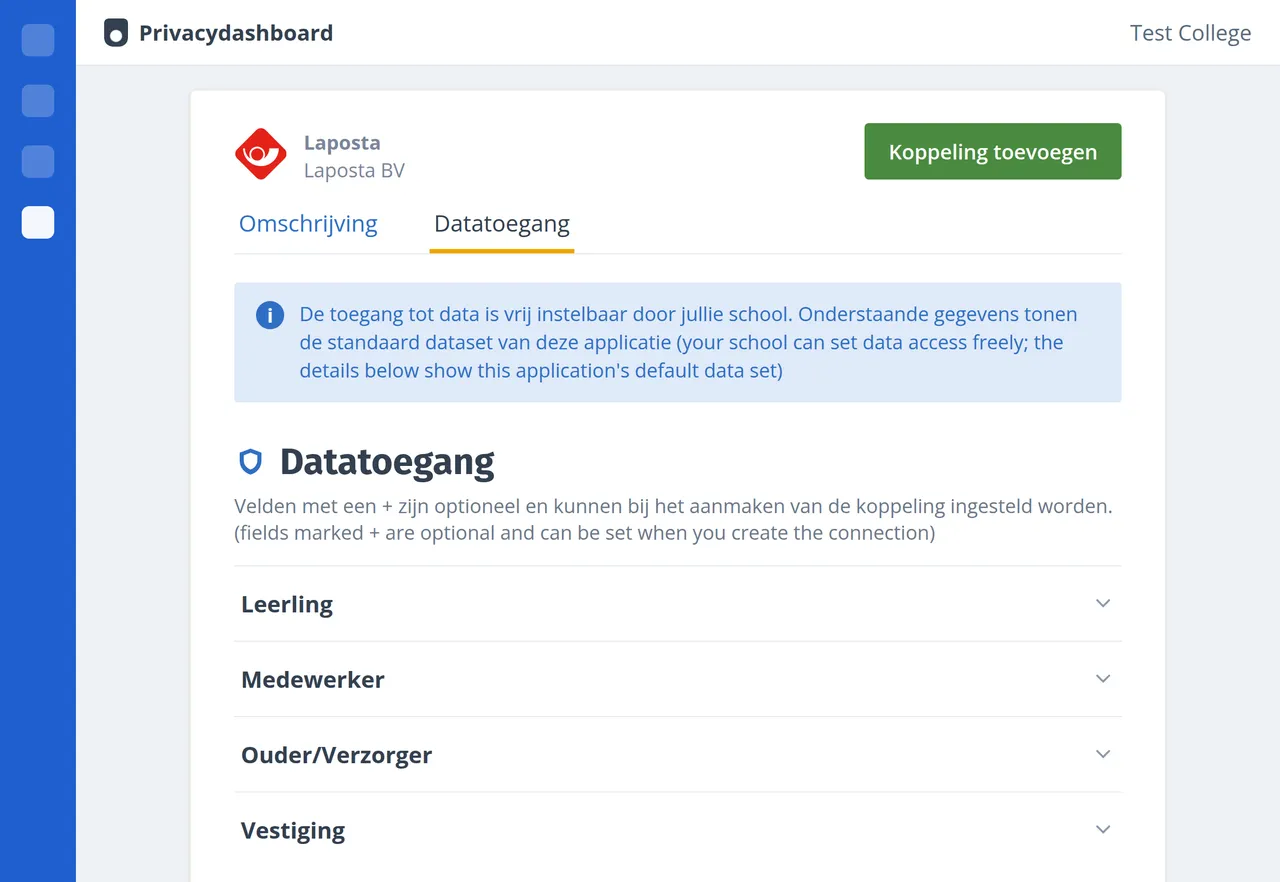
Click the green button ‘Koppeling toevoegen’ (add connection) to start the setup:
Selecting the target group
If required, select the desired school location and then the pupils you want to import into your Laposta account. Choose between ‘Alle leerlingen’ (all pupils) and ‘Een deel’ (a selection). With the latter option, you can set filters for education type, school year and subject.
Checking the data access
Under ‘Datatoegang’ (data access), check which data will be sent to Laposta. The connection is tailored to these settings.
Giving consent and creating the connection
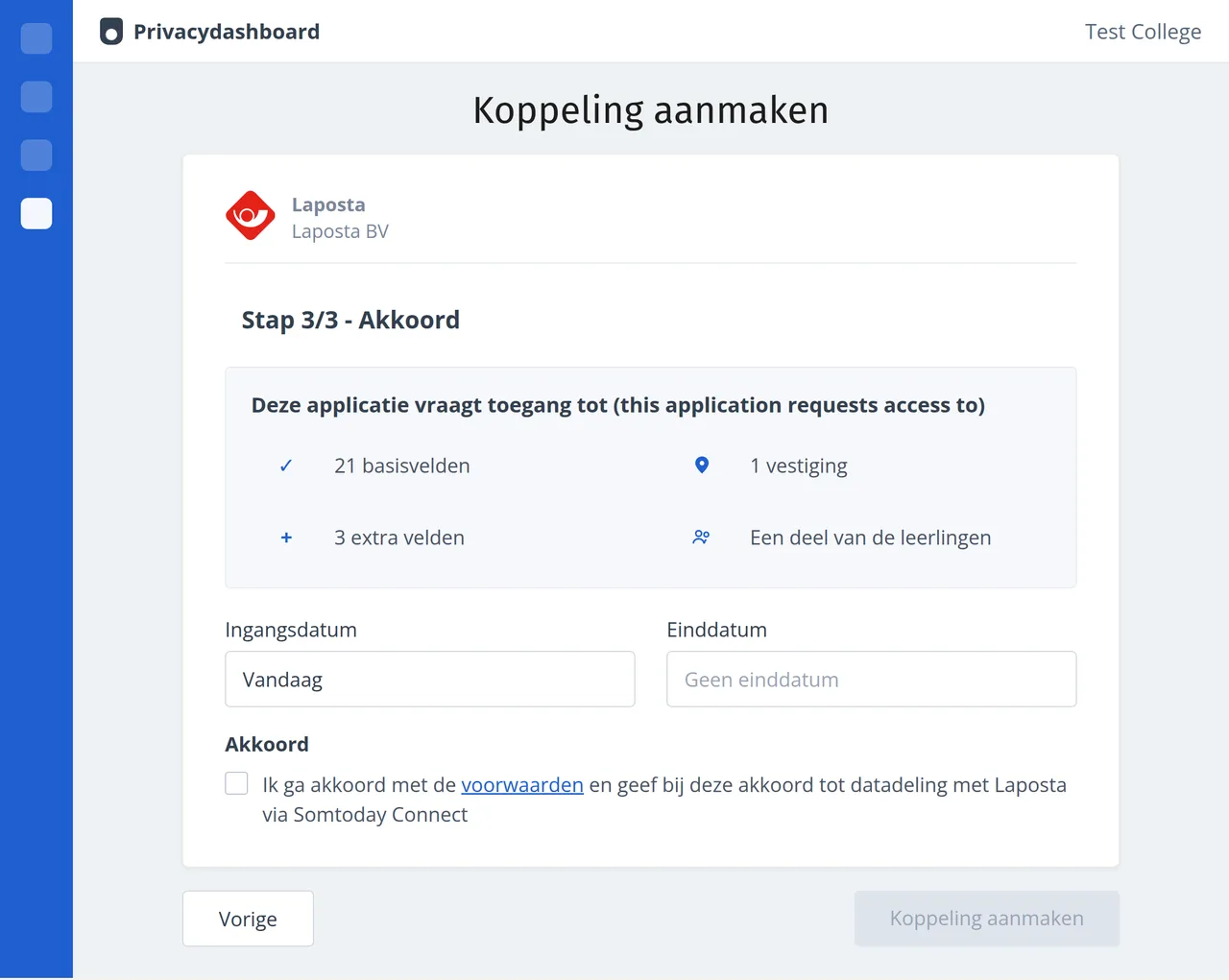
Check the summary of the data to be connected and set the start and end dates for when the connection should be active. If you do not enter an end date, the connection will remain active until you cancel it manually.
Accept the terms and conditions and agree to share this data with Laposta via Somtoday Connect (to which the data processing agreement with Laposta applies). Click ‘Koppeling aanmaken’ (create connection) to activate the connection.
Managing the connection
In Somtoday Connect, go to Privacydashboard (privacy dashboard) → Gekoppelde producten (connected products) and click ‘Laposta’. Under ‘Datatoegang’ (data access), you can see all activated connections. Click ‘Beheer koppeling’ (manage connection) and choose ‘Koppeling aanpassen’ (edit connection), ‘Extra koppeling toevoegen’ (add extra connection) or ‘Koppeling (deels) opheffen’ (cancel connection in full or in part).
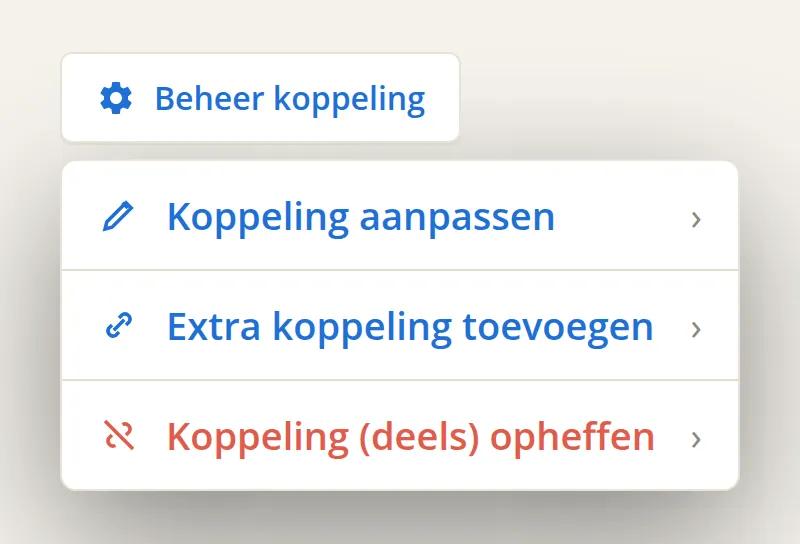
You can, for example, create an extra connection for another school location. Please contact helpdesk@laposta.nl first so that the helpdesk can also set up the connection properly in Laposta.
Costs of the connection
The connection costs a one-off fee of 295 euros for the setup and 695 euros per year, both excluding VAT. The connection is only available in combination with a subscription.
For more information, please contact the helpdesk at helpdesk@laposta.nl. If your school uses Magister, a similar connection with Magister is available.