Sending an email to a subscriber in an automation
With this action, you determine which email is sent and when. Drag the action to the place in the automation where you want to send an email and click on the placed block to configure it. You can read how to build an automation and place actions in Start your first automation.
Choosing the email
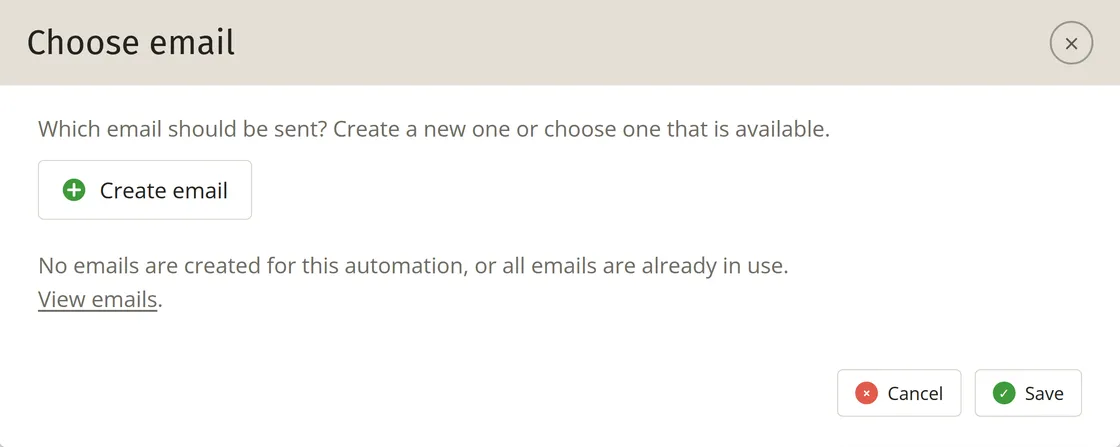
In the ‘Choose email’ window, select an email that you previously created for this automation. If no emails are ready yet or if they are all already in use, you will see a message indicating this. In that case, click on ‘Create email’.
You can read how to put the email together in four steps in the editor in Emails in an automation.
Determining the schedule
The schedule applies to this specific email, not to the start of the automation. You configure the latter with the starting point.
For example: you send a series of emails after a subscription. The first one is sent out immediately after subscribing, then the automation waits for a week using the Pause action, and then the second email follows. If someone subscribes late on Sunday evening, that second email would also be sent late on Sunday evening a week later. This is not always desirable, for instance because you prefer not to send emails at such an unusual time, or because you think the email will get more attention if it arrives on a weekday.
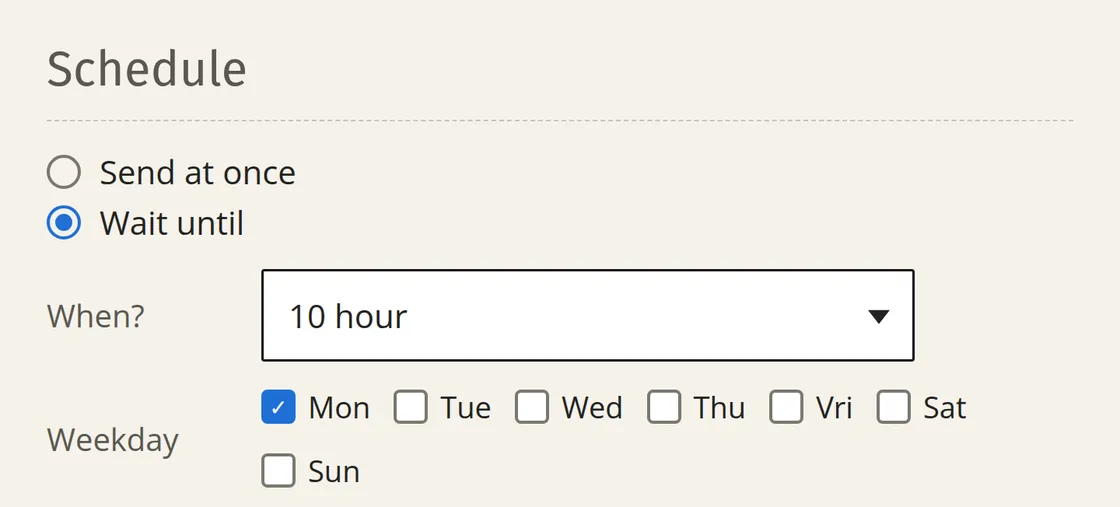
You can choose from two options here. If you choose the second option, you can also set the days and the time:
In the example above, if you only tick Monday and select 10 hour, the second email will only be sent at 10:00 on Monday morning to the subscriber who signed up on Sunday evening.