

Exporting subscribers to Excel
You can download the subscribers of any list as an Excel file:
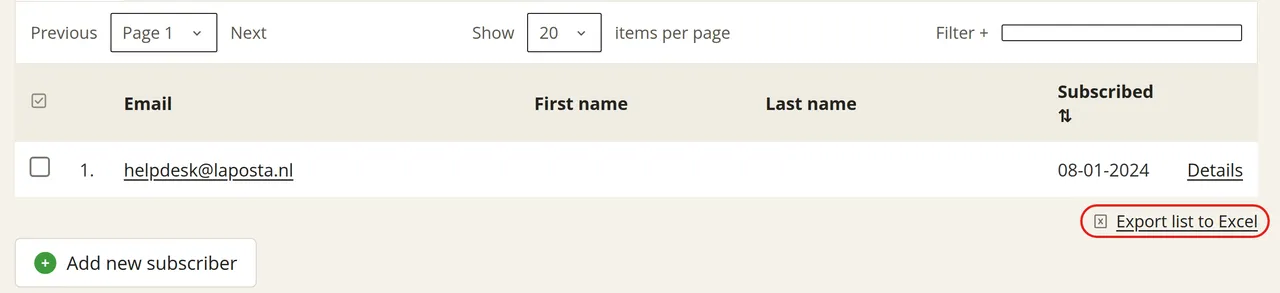
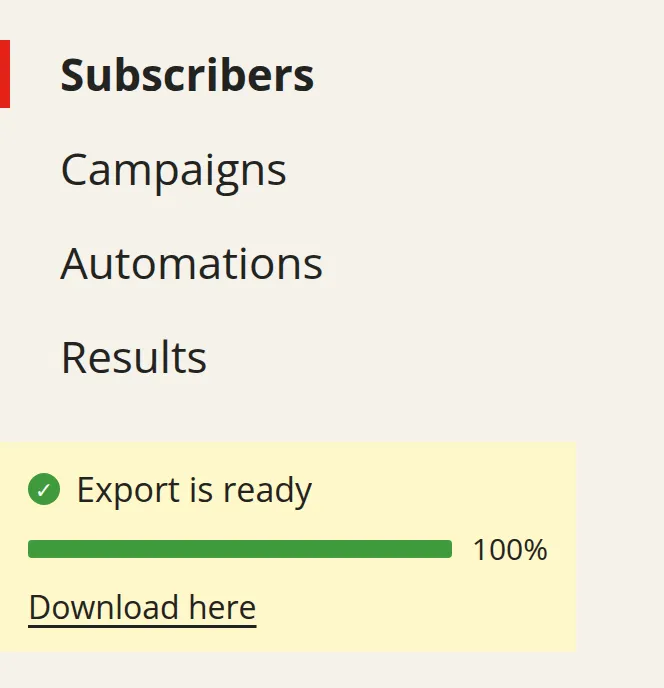
The Excel file has three tabs: one for active subscribers, one for unsubscribed subscribers and one for cleaned subscribers.
In addition to the regular subscriber data, the file includes a ‘Labels’ column with the labels per subscriber. If you have filtered by a label in the overview of your subscribers, only the filtered subscribers will be exported.
Exporting segments and campaign results
You can also export the individual segments within a list. In addition, you can separately download the subscribers behind your campaign results: who read your newsletter, visited your website or unsubscribed. To do so, go to Results and click ‘Export to Excel’ (with the Excel icon in front of it) above the table of subscribers for the relevant campaign.