

Copying a list
You can copy a list by going to the overview of your lists and selecting ‘Copy with subscribers’ or ‘Copy without subscribers’ for that list.
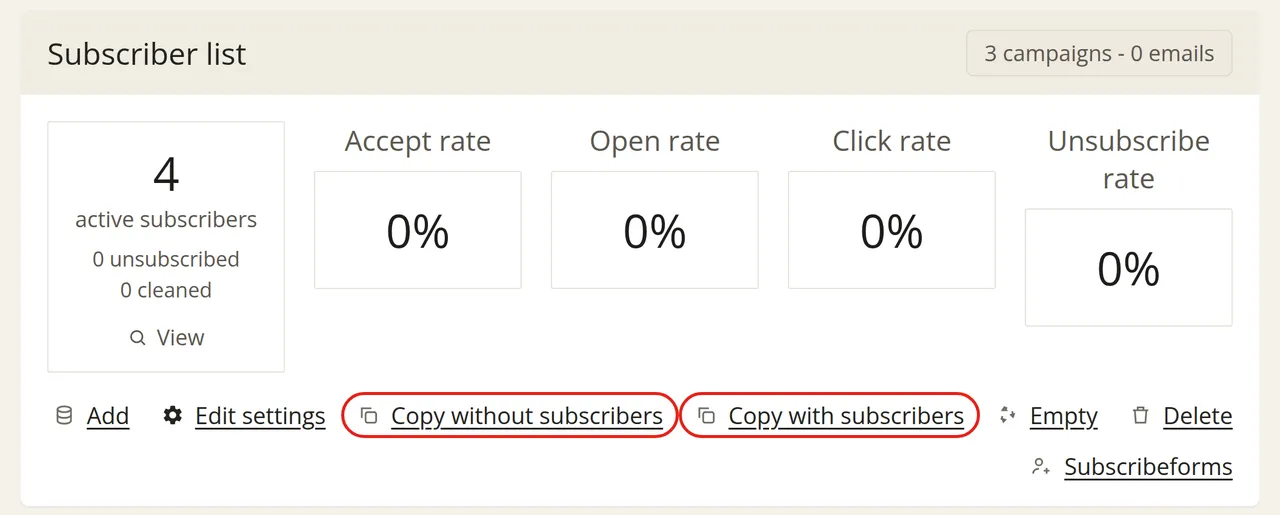
The only difference between the two options is whether your subscribers are copied as well. The rest of your settings are always copied:
For example, you can use a copy without subscribers for a new target audience when you want to use the same fields and form design. You can use a copy with subscribers if you want to continue working with the same group, for instance to approach a specific selection separately.
New sign-ups after copying
After copying, you will have two lists, each with its own subscribe form. A new sign-up is only added to the list whose form was used. The two lists are completely separate from each other: new sign-ups on one list are therefore not automatically added to the other list.
If your website still contains the code or link for the old form, sign-ups will continue to come in on the old list. If you want new sign-ups to be added to the copied list, you can replace the code or link on your website with that of the new form.